
How to Get Started With AI for Free (OpenCode)
Install OpenCode and use DeepSeek free with no account and no credit card. Exact commands for Windows, Mac, and Linux, written for complete beginners.
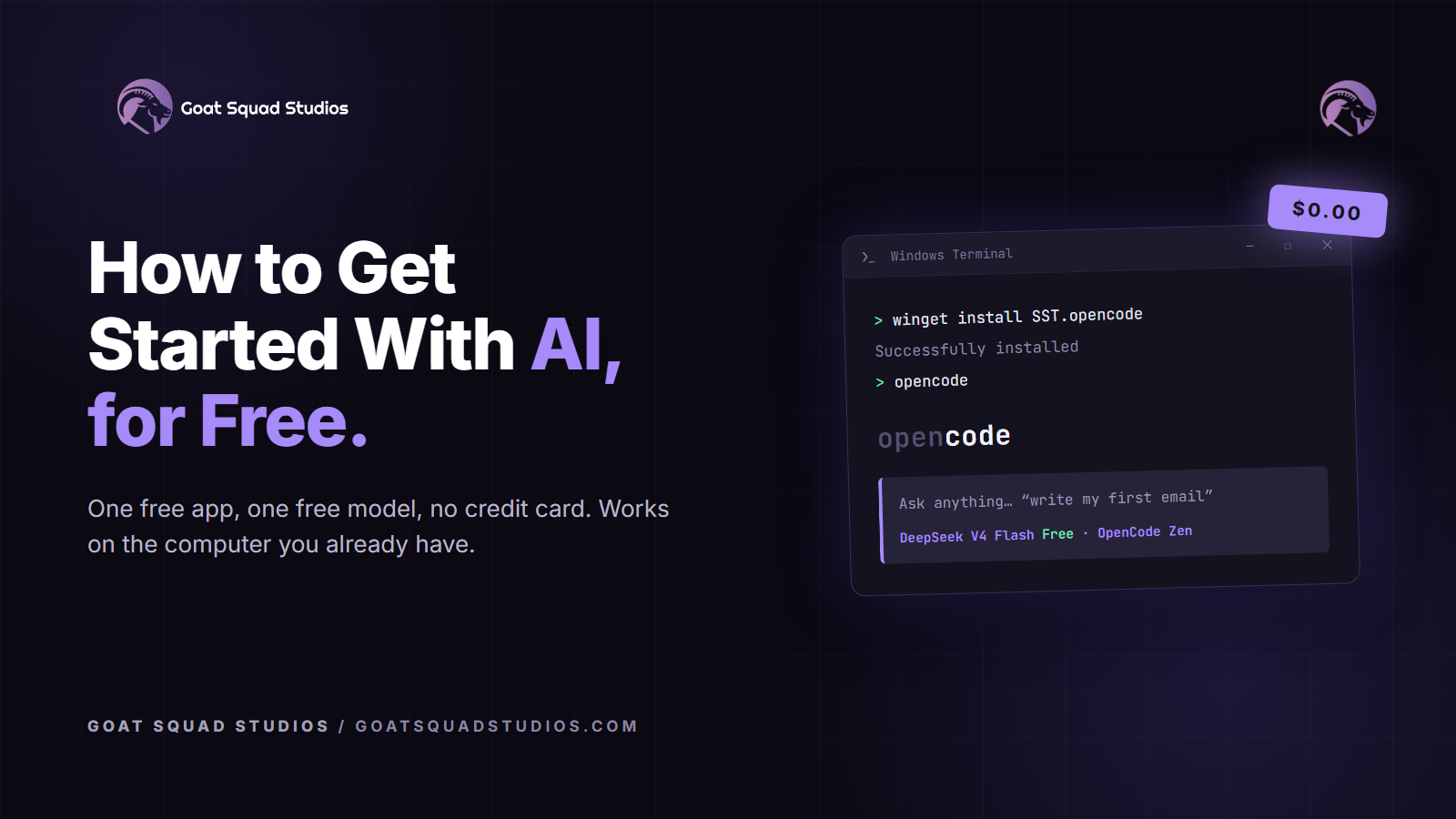
One free app, one free model, no account, no credit card. This is the full setup, written for someone who has never opened a terminal.
Every path into AI seems to start with a $20-a-month subscription. It doesn't have to. OpenCode is a free, open-source app with free AI models built in, including DeepSeek, one of the best open-source models available. No account, no email signup, no credit card. Any computer from the last decade runs it, because the AI works on servers far away while your machine only sends text back and forth.
I set this up on a clean machine while writing this. Every screenshot is from that setup. Total cost: $0.00.
Two versions. This guide uses the terminal: geared toward engineers, faster once you know what you want. If you're new to anything code-related, the desktop app is a normal window and a better place to start: opencode.ai/download (beta).
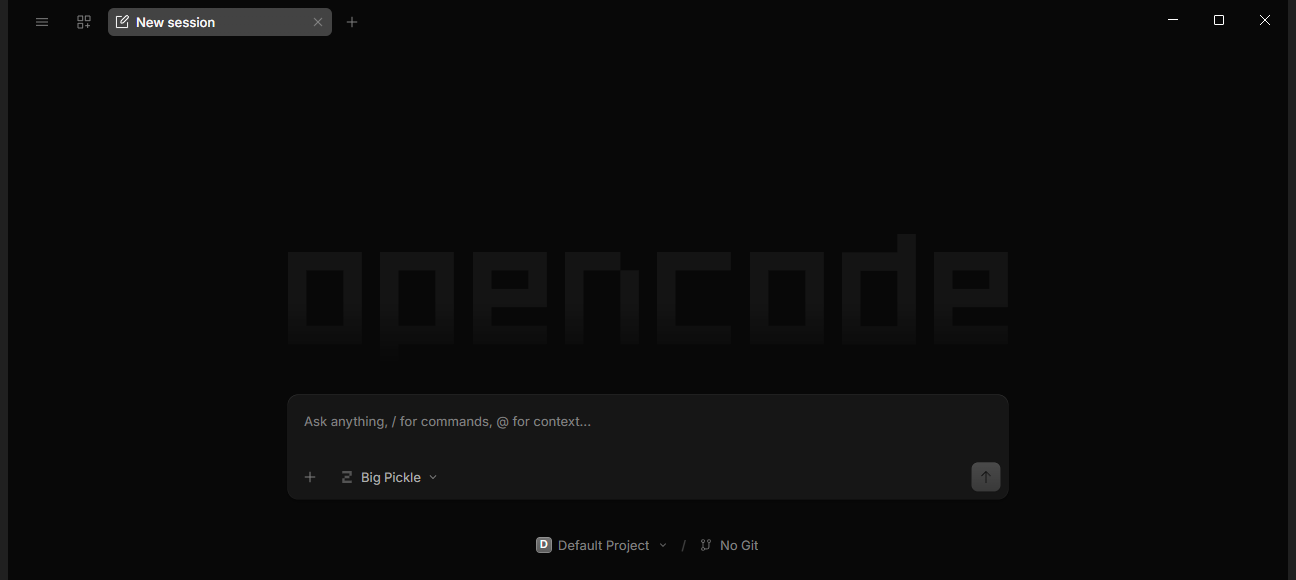
The desktop app. No login, free model already selected.
What is OpenCode?
A free program that puts an AI assistant on your computer. It's open source, so the code is public and anyone can inspect it. Around 199,000 people have starred it on GitHub, which for software is a very loud endorsement.1
The main version runs in a terminal, a window where you type instead of click. You'll paste two lines total, and both are below.
Install it on Windows
Open a terminal first. On Windows 11, click Start, type terminal, and click the app called Terminal. It's already installed.
On Windows 10, open the Microsoft Store (click Start, type store), search for Windows Terminal, and click Install. It's free and made by Microsoft.3
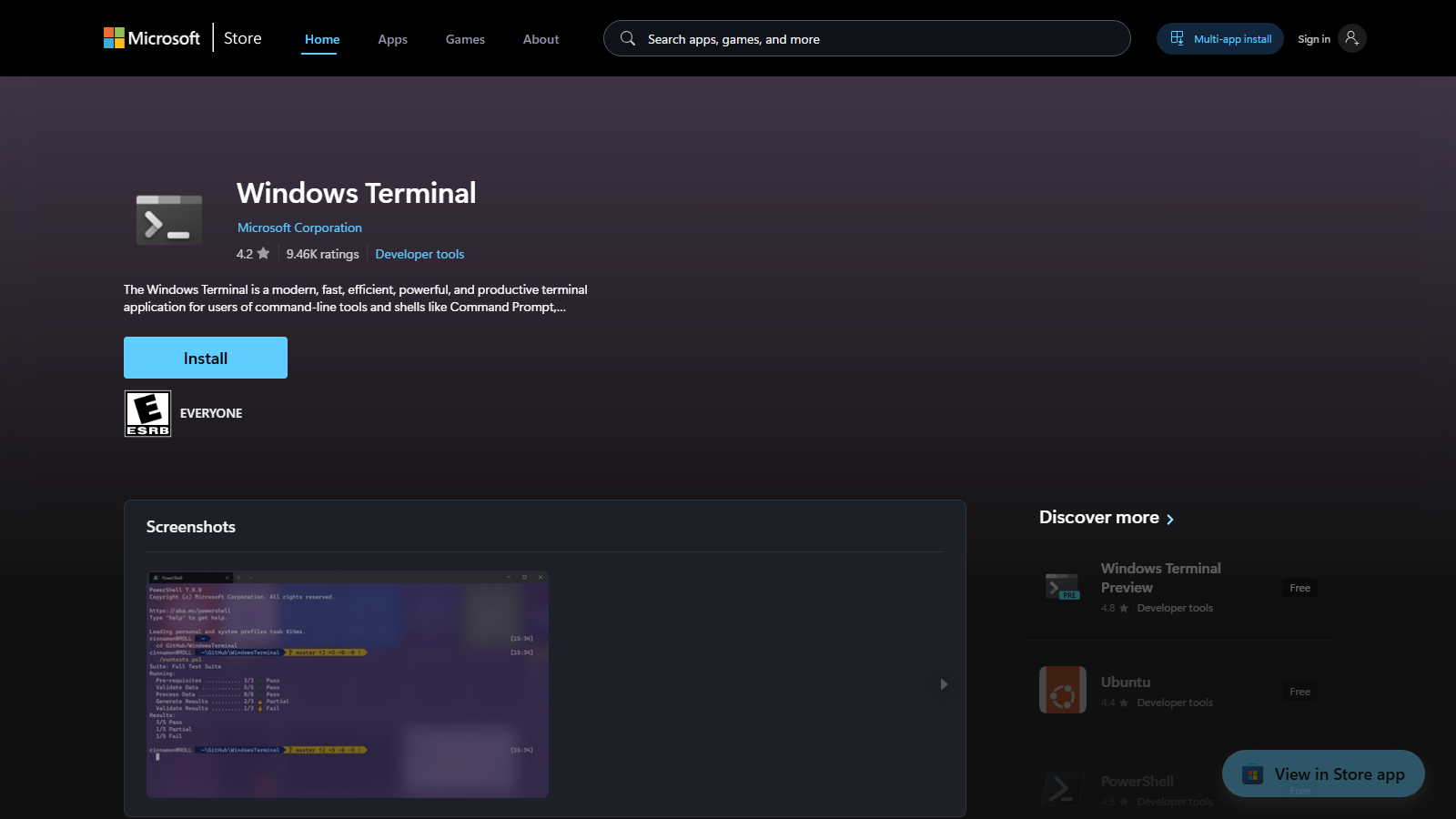
Check the publisher says Microsoft Corporation. If a "terminal" app wants money, it's the wrong one.
Then install OpenCode. Paste this into the terminal and press Enter:
winget install SST.opencode
winget is the app installer built into Windows, so there's nothing to download first. When it finishes, close the terminal and open a new one. This part matters: new programs only show up in fresh windows. Then check it worked:
opencode --version
A version number means you're done. Mine says 1.18.18.
Install it on a Mac
Open the terminal: press Cmd + Space, type terminal, press Enter. It ships with every Mac.
Paste this and press Enter:
curl -fsSL https://opencode.ai/install | bash
That's the official installer from opencode.ai, and it handles everything itself. No Node.js, no Homebrew. When it finishes, open a new terminal window and type opencode --version to confirm.
Install it on Linux
The same one line as the Mac. Open your terminal and paste:
curl -fsSL https://opencode.ai/install | bash
It needs no package manager, no Node.js, and no root. When it finishes, open a new terminal and run opencode --version.
Ask your first question
Type opencode and press Enter. You get this:
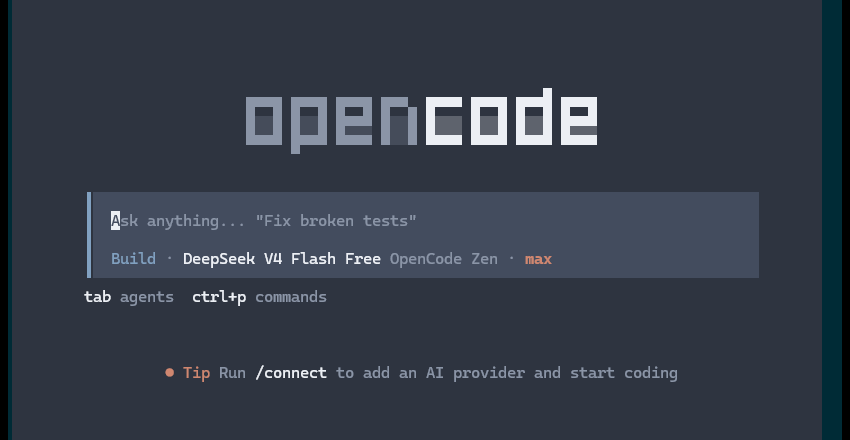
Look at the line under the input box: DeepSeek V4 Flash Free, via OpenCode Zen. A free model, already selected, before you've signed up for anything.
Type a question and press Enter. That's the entire user manual. Ask it what a file extension is. Ask it to write a birthday message for your granddaughter. Ask it why your internet is slow.
No signup happened. I tested this on a machine with no accounts configured: fresh install, no login, and the free model answered. The tip on screen suggests running /connect to add a paid provider. Ignore it. The free models need nothing.
Is it really free?
Yes. Type /models to see what's included:
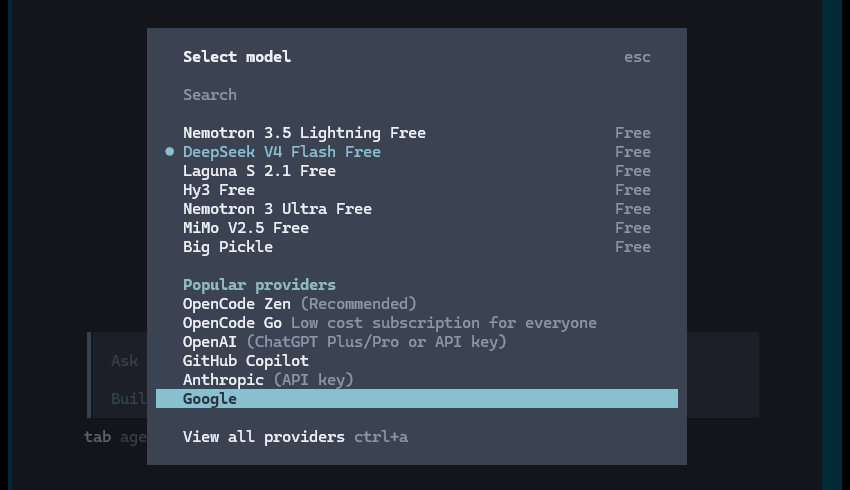
Seven models marked Free as of August 2026: Nemotron 3.5 Lightning, DeepSeek V4 Flash, Laguna S 2.1, Hy3, Nemotron 3 Ultra, MiMo V2.5, and Big Pickle.
The fine print, because "free" always has some:
- These are promotional. OpenCode's model service (called Zen) offers them free "for a limited time" while the teams behind them collect feedback.4 The list rotates.
- Your prompts may be used to improve the model while it's free.4 That's the trade. No passwords, no bank numbers, no medical records. For birthday messages and homework help, it's fine.
- When the free period ends, the same DeepSeek model runs about $0.22 to $0.44 per million tokens.4 A million tokens is roughly 700,000 words, so normal use costs pennies a month. Nothing bills you by surprise, because it never took a card.
What is DeepSeek?
An AI lab that publishes its models as open source, so anyone can download and inspect them.5 Their models match the expensive ones from the big labs at a fraction of the price. "V4 Flash" is their quick, light model, good for questions, writing, and everyday help.
What can I ask it to do?
Anything you'd ask ChatGPT, plus one thing ChatGPT can't do: it works with the files in the folder you started it from. Try these:
- "Explain what a PDF is and how it's different from a Word document."
- "Write a polite email canceling my gym membership."
- "Here's an error message my computer showed me. What does it mean?"
- "Make me a simple monthly budget as a table I can print."
- "Look at the files in this folder and tell me what they are."
That last one is the powerful one, and the one to be careful with. While you're learning, give it a practice folder instead of your real files:
cd Desktop
mkdir ai-stuff
cd ai-stuff
Then type opencode. It now works inside a new folder on your Desktop, and your tax records are somewhere else.
Can it install other programs for me?
Yes, and for a beginner this is the most useful thing it does. Installing software is just a command, and OpenCode runs commands. Ask in plain words:
- "Install VLC so I can play any video file."
- "I need to open a zip file. Set that up."
- "Install Python."
It works out the right command for your computer and runs it. I asked the free model the VLC question while writing this and got back the correct one:
winget install --id VideoLAN.VLC --silent
Why this matters: you never go hunting for a download page. Searching for popular free software turns up lookalike sites that wrap the real program in adware, and a new user can't reliably tell them apart. Windows and Mac each have an official catalog of vetted software (winget and Homebrew), and that's where your assistant pulls from.
By default it runs those commands without asking you first. That's convenient once you can read what's about to happen, and it's a lot of trust on day one. Make it check with you instead. Create a file at .config/opencode/opencode.json inside your user folder (Windows: C:\Users\YourName\.config\opencode\opencode.json, Mac: ~/.config/opencode/opencode.json) containing this:
{
  "$schema": "https://opencode.ai/config.json",
  "permission": { "bash": "ask" }
}
Now it shows you each command and waits for your yes. Read the command before you agree. If it wants to install something you didn't ask for, say no and ask why.
What if I get stuck?
Paste the problem into OpenCode and ask. That sounds circular, but "I typed this and got this error" is a question the free model answers well.
If OpenCode itself won't install, the fix that solves almost everything is opening a brand-new terminal window, because old windows don't know about new programs.
FAQ
Is it really free?
Yes. The app is free, open-source software, and seven free models are built in. No account, no card. Verified on clean installs on August 19 and 20, 2026.
Do I have to use the terminal?
No. The desktop app is a normal window, and it's the better start if you're new to code: opencode.ai/download. The terminal version suits engineers who want speed.
Do I need a powerful computer?
No. The AI runs on servers. If your machine can open a web browser, it can run this.
Is this ChatGPT?
Same idea, different plumbing. ChatGPT lives in a browser tab. OpenCode lives on your computer and can work with your files when you ask it to.
What's the catch on the free models?
They're free for a limited promotional period, and while free, your prompts may be used to improve the model. Keep private information out of them.
What happens when the free period ends?
The paid price of the same DeepSeek model is about 22 to 44 cents per million tokens, roughly 700,000 words. Pennies a month for normal use, and only if you choose to add money.
Windows says "opencode is not recognized."
Close the terminal window and open a new one. Windows only picks up newly installed programs in fresh windows.
How do I switch to a different model?
Type /models and pick from the list. The ones marked Free need no account. The same picker lists paid providers like OpenAI and Anthropic, which need an API key you add with /connect.
How do I uninstall OpenCode?
On Windows run winget uninstall SST.opencode, or npm uninstall -g opencode-ai if you installed it that way. On Mac and Linux, delete the .opencode folder in your user folder. Settings live in .config/opencode; delete that folder too for a clean removal.
Does OpenCode work offline?
No. The models run on servers, so it needs an internet connection. Nothing runs on your own hardware, which is also why an old computer is fine.
How do I stop it?
Close the window. Nothing keeps running in the background.
More guides like this one
We publish these step-by-step installs regularly: exact commands, the traps, and what to do when it breaks.
Every how-to guide we've published
Good next ones: installing the Pokémon Yellow recomp for a second run at the same skills, and how I work with AI agents once you want more than a chat window.
When this was true
Everything here matched OpenCode 1.18.18 in the terminal and the 1.18.19 desktop beta, checked on live installs on August 19 and 20, 2026. The free model list rotates, so the exact seven names will drift. The install commands, the no-signup start, and the fine print on free models are the stable parts. If this post and the official docs disagree, the docs win.
References
[1] OpenCode repository — Anomaly, GitHub, 2026.
[2] Node.js downloads — OpenJS Foundation.
[3] Windows Terminal — Microsoft Corporation, Microsoft Store.
[4] OpenCode Zen documentation — Anomaly, 2026. Free-model terms, data-use note, and model pricing.
[5] DeepSeek — DeepSeek AI. Open-source model releases.
